


Magic Diamond Painting-Gem Art
4.71.67K Reviews
App Specs
- Version
- 2.29.6
- Updated On
- License
- Free
- Downloads
- 5,000,000+
- Developer
- ZiMAD
- Categories
- Art & Design
- Platform
- Android, iOS
Screenshots
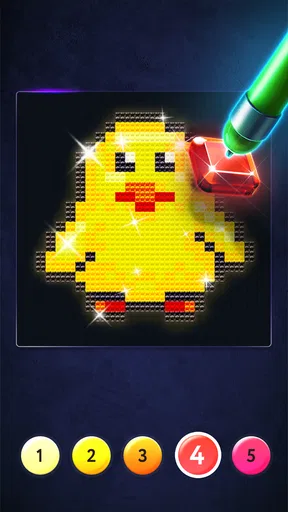
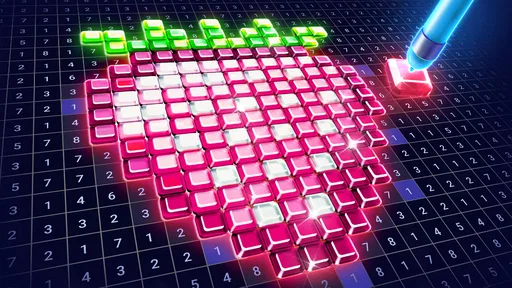
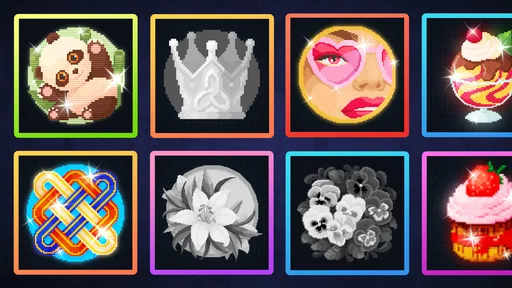
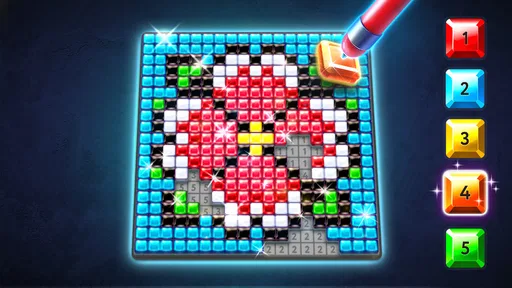
 Analysis by AppCompare
I usually judge a coloring app by a practical question: does it feel pleasant to return to when I have a spare moment, or does it turn a quiet break into another task? Magic Diamond Painting-Gem Art is aimed at the first kind of session. It gives me numbered areas to fill with gems, so I can focus on small, clear actions rather than deciding what to draw from scratch. That makes it an easy option to consider if you want a low-pressure creative pastime on your phone.
It sits in the Art & Design category, though I’d think of it less as a drawing tool and more as a guided coloring activity. ZiMAD develops the app, which is free to install and rated for Everyone. It has a 4.7 average from around 20,000 ratings and over 5 million installs, so it has found a sizeable audience for this particular, relaxed style of play.
What to look for in a diamond-coloring app
Before choosing this kind of app, I’d ask myself whether I want to make design decisions or simply enjoy completing a picture. Here, the numbered sections and color matching provide structure. That is useful when I’m tired, waiting for an appointment, or want an activity I can pause without having to remember a complicated process. It is less suitable if I want a blank canvas, freehand drawing, or detailed control over every color choice.
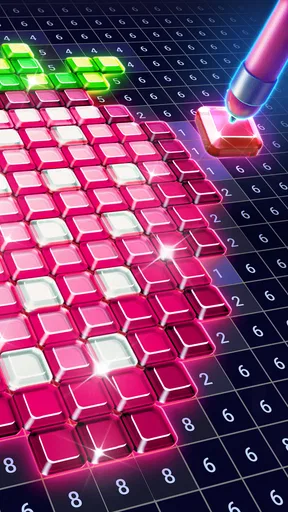
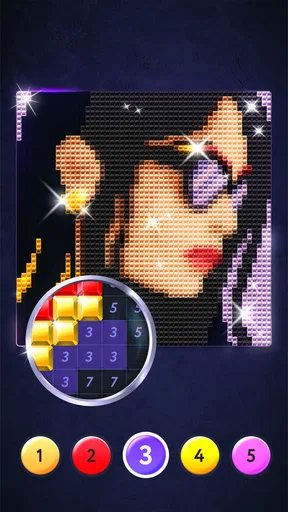
The appeal is in the steady rhythm: find a numbered patch, select its matching color, and watch the image fill in. The small sparkles give each placement a clear response, while the finished picture offers a sense of closure. In my view, that loop is the main reason to try it—not the promise of becoming a better illustrator, but the satisfaction of seeing a design gradually take shape.
The Gem-tastic Experience
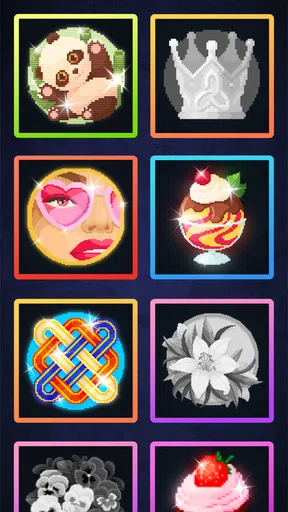
First off, let me tell you, Magic Diamond Painting-Gem Art is like a happy little escape into a world of creativity. When you open the app, you're greeted with a gallery brimming with beautiful designs waiting to be brought to life with your touch. The interface is super user-friendly, and even if you’re not a tech wizard, you'll find it easy to navigate.
The app boasts a wide variety of templates, ranging from simple geometric patterns to intricate landscapes. Whether you have five minutes or an hour, there’s something for every mood and schedule. And the best part? Watching those dull templates transform into vibrant, gem-studded masterpieces is oddly satisfying.
Getting Started
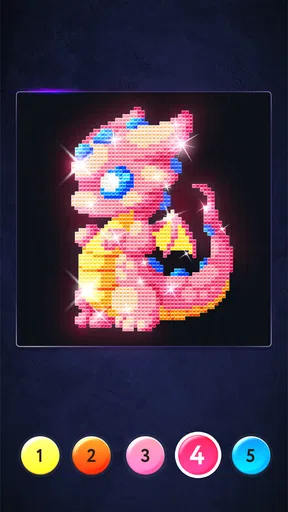
It’s as simple as selecting a design and tapping on the colors. The app provides a palette of gorgeous hues, and all you need to do is match them to the numbered sections on your chosen template. It’s like a digital paint-by-numbers but with a sparkly twist. Perfect for when you want to unwind without the mess of real paints!
Worth Reading Before You Choose

EA SPORTS FC Mobile 26 Is a Bigger Football Game, but It Takes Time

Flipboard Shows What News Apps Must Do Beyond the Feed

Switching to Android Auto Means Rethinking Your Driving Routine

Google Calendar Makes a Crowded Week Easier to Manage

Ludo King Makes the Most of the Minutes Between Plans

Baby Panda World Brings Quick Play to Modern Phones, but Its Game Library Feels Busy
One thing I really appreciate is how the app subtly guides you. If you’re stuck or unsure about which color to use, there’s a handy hint feature. It's like having a gentle nudge rather than an annoying interruption. Plus, the app saves your progress automatically, so you can dip in and out as you please, without losing any of your hard work.
A Feast for the Senses
Let’s talk visuals. The app’s graphics are crisp, and the colors are vivid, making every piece pop. But it’s not just about looks. The app includes soothing background music, creating a relaxed atmosphere that draws you in. Trust me, it’s a real treat for anyone who enjoys a zen-like experience while crafting.
And can we talk about the little sparkles? Every time you place a gem, there’s a tiny shimmer effect that’s so gratifying. It’s these little details that make the experience feel premium and keep you coming back for more.
Picking a picture for the time you have
A useful habit is to choose a design with your available attention in mind, not just the one that looks most impressive in the gallery. A simpler pattern is a natural fit for a short wait; a more intricate landscape can be satisfying when I have enough time to settle in. Because progress is saved, I don’t have to finish in one sitting, but I still prefer a picture whose complexity feels inviting rather than like unfinished homework.
The hint tool is best treated as a rescue button, not the default way to color. I’d first scan the numbered areas and palette myself, then use a hint only when I’m losing the thread. That keeps the matching process engaging and makes the nudge more useful. If the screen feels busy, narrowing my attention to one color at a time also makes it easier to spot remaining sections without rushing around the picture.
How it fits into an ordinary day
For example, I can imagine opening it after dinner while waiting for a kettle to boil, completing a few patches, then putting my phone down when the tea is ready. The automatic save makes that stop-and-start rhythm practical. It also works for a quiet commute or a short break, provided I’m somewhere I can comfortably look at the screen; the small numbered areas reward attention, so it isn’t an activity I’d choose while walking or doing something that needs my eyes.
The experience is deliberately guided, which is both its convenience and its boundary. I don’t need to plan a composition or pick a palette, but I also can’t treat it like a sketchbook where an idea can go in any direction. If I want a quick creative reset with a clear next move, that constraint helps. If I’m looking to practice drawing, lettering, or visual design, a drawing app or a physical sketchpad will give me more room to experiment.
A Feast for the Senses
The music and placement effects help establish a calm mood, but they won’t suit every setting or preference. I’d try a session with the sound on when I’m relaxing at home, then switch to a quieter environment if I’m in public or would rather listen to something else. The app’s appeal does not depend on treating every session as a long, immersive activity; the basic color-matching loop still makes sense when I play briefly.
Where the alternatives make more sense
Compared with ordinary digital coloring books, the gem effect gives each tap a more tactile-feeling finish, while the numbered workflow keeps choices simple. A standard coloring app may be better if I want broader brush options or more freedom to shade. A freeform art app is the stronger choice for making an original image, but it asks for more decisions and practice. Real diamond painting offers physical materials and a hands-on craft; this phone version avoids setup and cleanup, though it cannot replace working with actual tools and surfaces.
That difference matters when choosing what to download. I’d recommend this to someone who likes orderly progress and decorative results, including beginners who don’t want a blank page staring back at them. I’d skip it if the central pleasure for me is inventing a picture, or if repeated tapping and matching feels too repetitive. The format is intentionally narrow, so it is worth trying with that expectation rather than hoping it will behave like a full art studio.
Sharing Your Masterpieces
Once you’ve completed a design, you can share your creation on social media directly from the app. It’s a fun way to show off your artistic flair, and who knows, you might just inspire a friend to join in the gem-painting fun! There’s also an option to save your work to your gallery, so you can admire it whenever you want.
For those who love a bit of friendly competition, the app features a leaderboard where you can see how your creations stack up against others. It's a playful way to engage with the community and maybe even push your creative boundaries a bit further.
Free to begin, with a spending choice
The app is free, but it includes optional in-app purchases priced from $1.99 to $99.99 per item. I’d start by seeing whether the free experience suits my routine before spending anything. A purchase makes most sense only if I’ve already found myself returning to the activity and understand what I personally want from it; there is little value in paying just because a purchase is available. The current version is 2.29.6, and it requires Android 8.0 or later.
One practical trade-off is that completing a picture can invite a “just one more section” mindset. I’d treat that as a pleasant way to fill a pause, but set the phone aside when the break is over rather than letting a relaxing activity crowd out sleep or other plans. The app’s save feature supports that boundary: I can stop at a natural point without turning completion into a requirement.
Final Thoughts
In a nutshell, Magic Diamond Painting-Gem Art is a charming little app that offers a break from the everyday hustle. It’s perfect for anyone who loves to create without the pressure of perfection. The combination of beautiful designs, easy-to-use tools, and the sheer joy of seeing your work come to life makes it a must-try.
Whether you’re a seasoned artist or someone who just likes to dabble, this app provides a space to unwind and let your imagination sparkle. So why not give it a go? You might just find yourself pleasantly surprised by how addictive gem painting can be!
My recommendation
I’d give it a try if I wanted a friendly, low-effort coloring routine rather than a serious art tool. It is especially appealing when I want something I can pause, resume, and complete in small stages, with a hint available if I get stuck. I’d choose a conventional coloring app for more direct control, a drawing tool for original work, or physical diamond painting when the real-world craft is the point. For everyone else, the free starting point makes it easy to see whether this particular sparkling, number-led approach feels relaxing or repetitive.
Pros
- Intuitive interface for easy navigation.
- Wide range of vibrant colors available.
- Relaxing and stress-relieving gameplay.
- Frequent updates with new designs.
- Offline mode supports uninterrupted play.
Cons
- Ads can be distracting during gameplay.
- Limited free designs without in-app purchases.
- Occasional lag on older devices.
- Minor bugs in color selection tool.
- No social share feature for completed art.
FAQs for Magic Diamond Painting-Gem Art
What is Magic Diamond Painting-Gem Art?
Magic Diamond Painting-Gem Art is a creative app that allows users to enjoy the relaxing and artistic process of diamond painting. Users can select from various templates and use virtual diamond gems to create stunning artwork. The app provides a calming experience akin to traditional diamond painting but in a digital format.
How do I use the app to create artwork?
To create artwork in Magic Diamond Painting-Gem Art, simply choose a template from the app’s extensive gallery. Then, follow the color-coded guide to place virtual diamond gems onto the canvas. The app’s user-friendly interface and intuitive controls make it easy for beginners and seasoned artists alike to produce beautiful pieces.
Is Magic Diamond Painting-Gem Art free to download and use?
The app is free to download, with several templates and tools available at no cost. However, it also offers in-app purchases for premium features, such as exclusive templates and additional diamond colors. These purchases enhance the creative experience but are not necessary to enjoy the basic functionality of the app.
Can I share my completed artwork with others?
Yes, Magic Diamond Painting-Gem Art allows you to share your completed masterpieces directly from the app. Once your artwork is finished, you can easily share it via social media or email. This feature makes it simple to showcase your creativity and connect with other art enthusiasts.
What devices are compatible with Magic Diamond Painting-Gem Art?
Magic Diamond Painting-Gem Art is compatible with a wide range of Android and iOS devices. It runs smoothly on most smartphones and tablets, provided they meet the minimum operating system requirements. Ensure your device is updated to enjoy the best performance and latest features of the app.


